
“I have three tills, and the stock never agrees between them.”
Supermarkets & mini-marts: every till sells from the same stock and sees the others' sales within seconds.
The Online version of LocalBiz connects all your tills and shops to one secure system hosted by Webzy. Sell at full speed even when the internet drops, and watch sales, stock and staff from anywhere in Kenya.
for a sale to reach the server when the till is online.
each till picks up the other tills' sales, prices and stock.
when the internet drops. The till keeps selling and catches up later.
your shops are backed up on the server, and every till holds a full copy.
Each till keeps its own full copy of the shop so it never waits for the internet. The Webzy server keeps the master copy and passes every change between tills and to your phone.
Every sale, return, stock count and cash-up is saved on the till first, so the counter is always fast, internet or not.
Work goes up to the server within about a second, and the till brings in what the other tills did. Nobody presses a button.
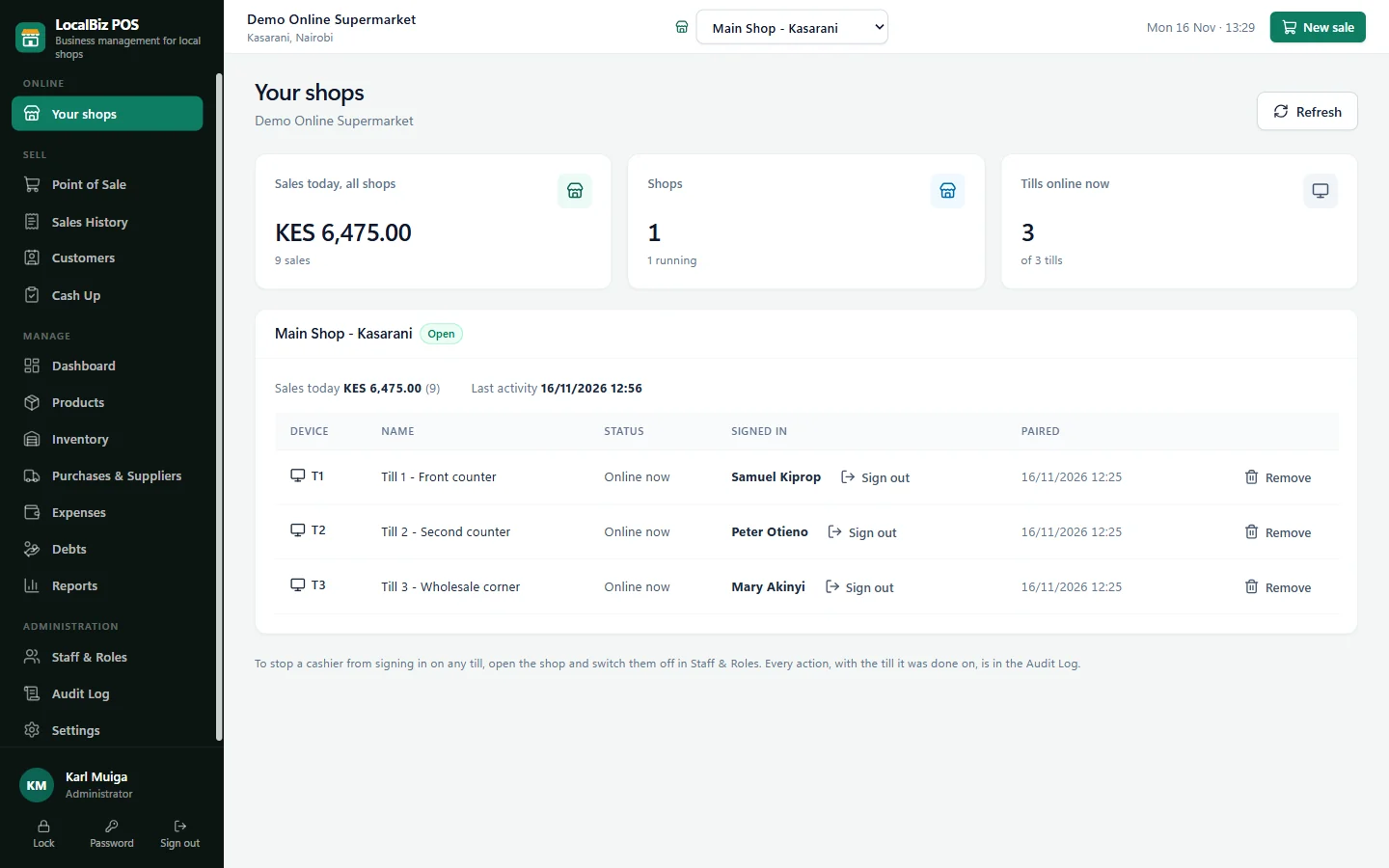
Open the owner's app anywhere: sales across branches, each till, each cashier, and every change, as it happens.
The same LocalBiz you know, signed in as the owner, with full access to every shop on your account.
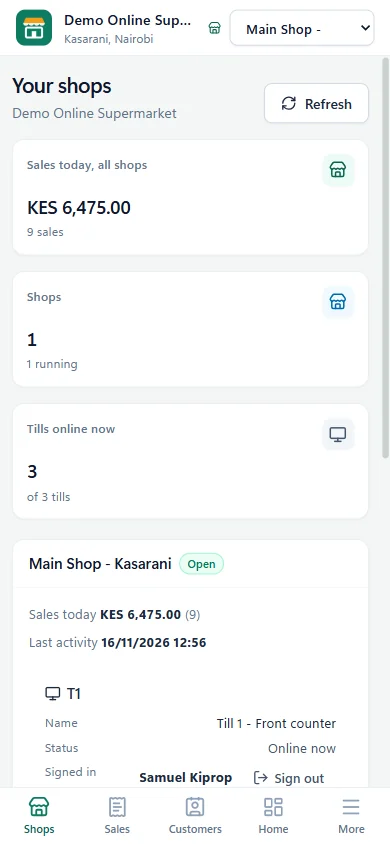
Today's sales for every branch and in total, which tills are online right now, and who is signed in at each counter. Switch to any shop with one tap.
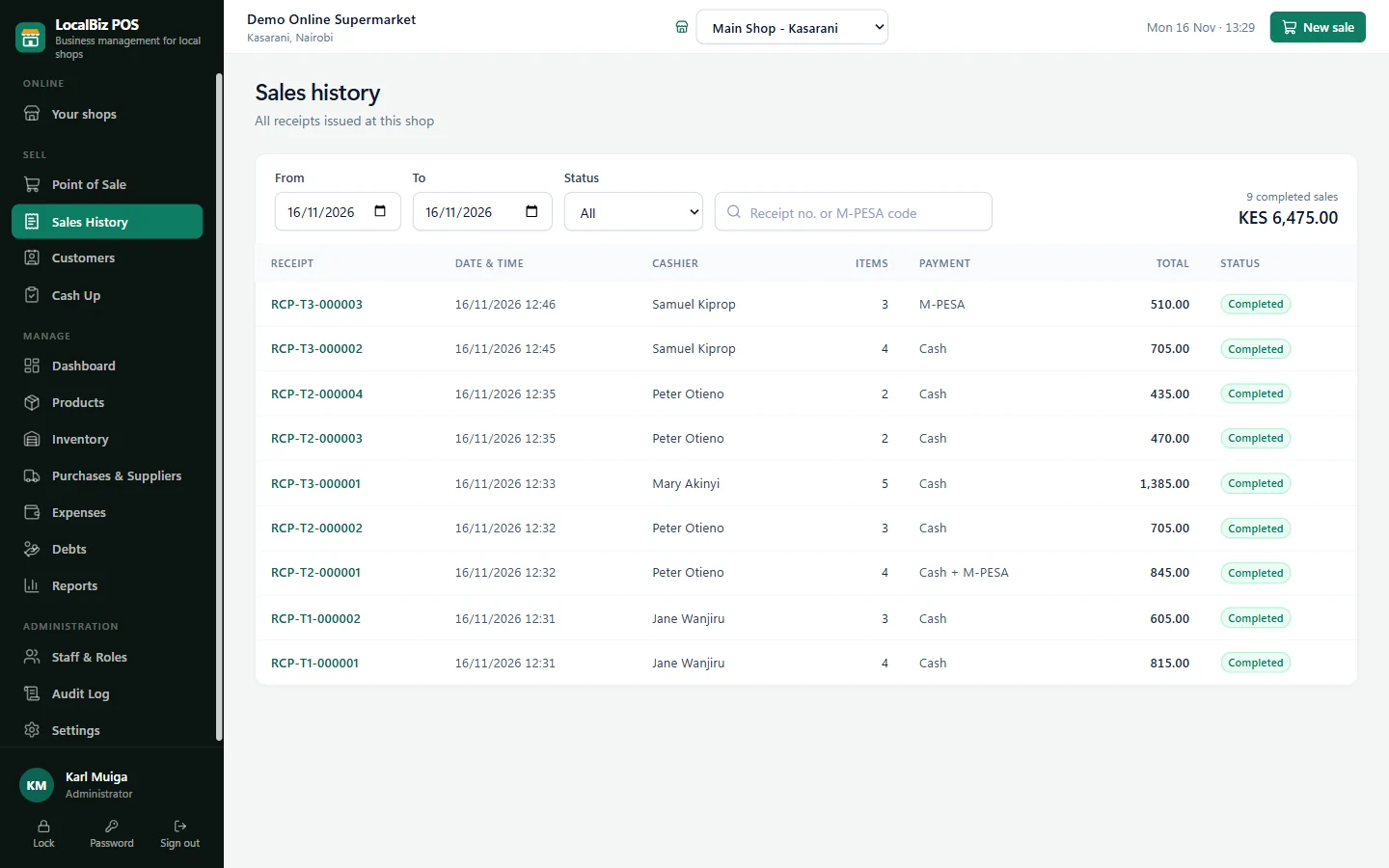
Receipts from all tills land in one sales history, in time order. Each receipt number shows the till it came from, so a query about RCP-T2-000004 is answered in seconds.
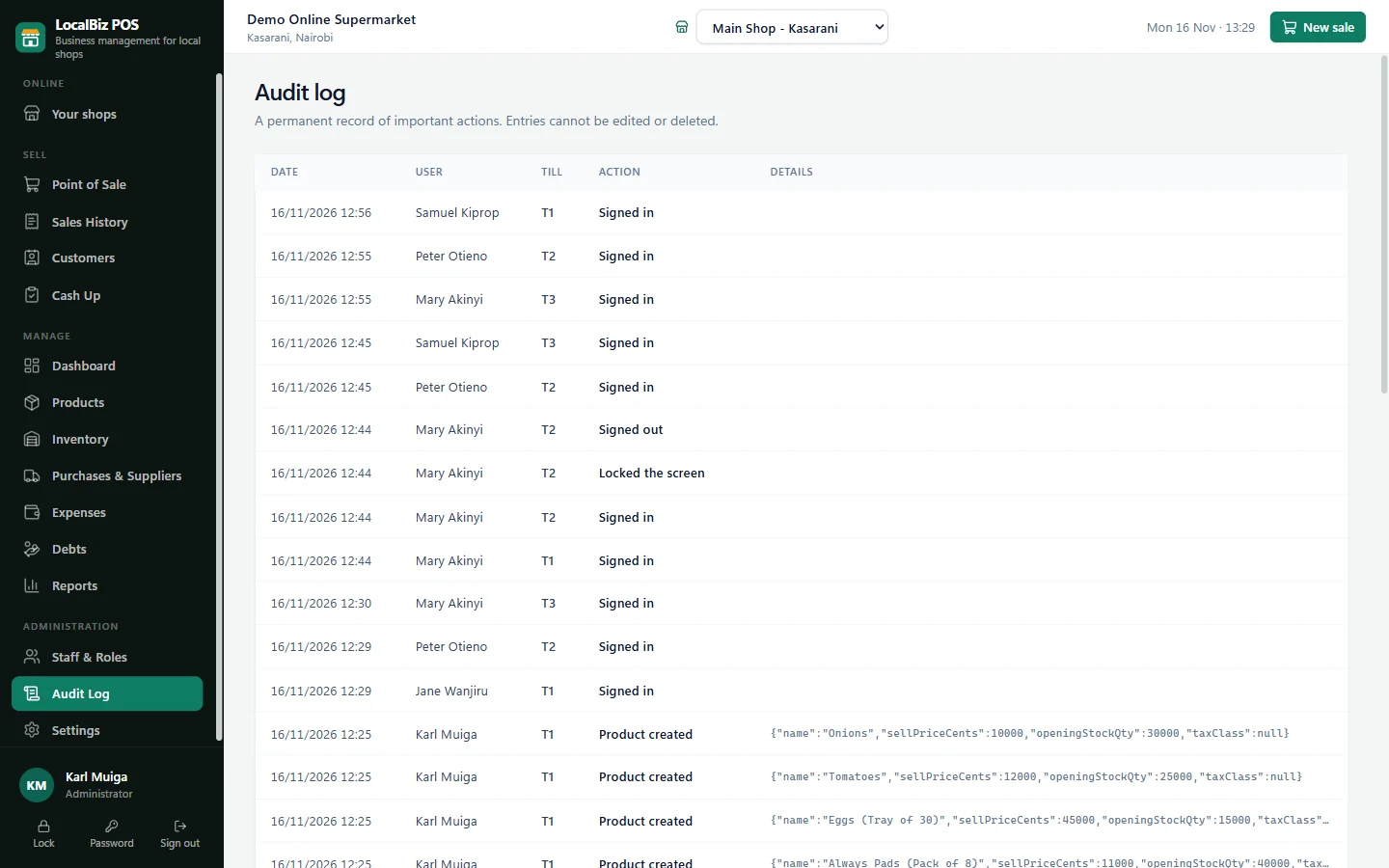
The audit log records every sign-in, sale, void, refund, price change and stock adjustment with the person, the time and the till. It can't be edited or deleted, not even by the owner.
No more reading messages off the shop phone. Every payment to your Till or Paybill appears at the till within seconds, with the customer's name, ready to match to the sale. And each payment can only be used once.
The customer pays to your Till or Paybill. Safaricom reports the payment straight to your LocalBiz system, and it shows at every till: who paid, how much and when. When the amount matches the sale, LocalBiz picks it for the cashier automatically.
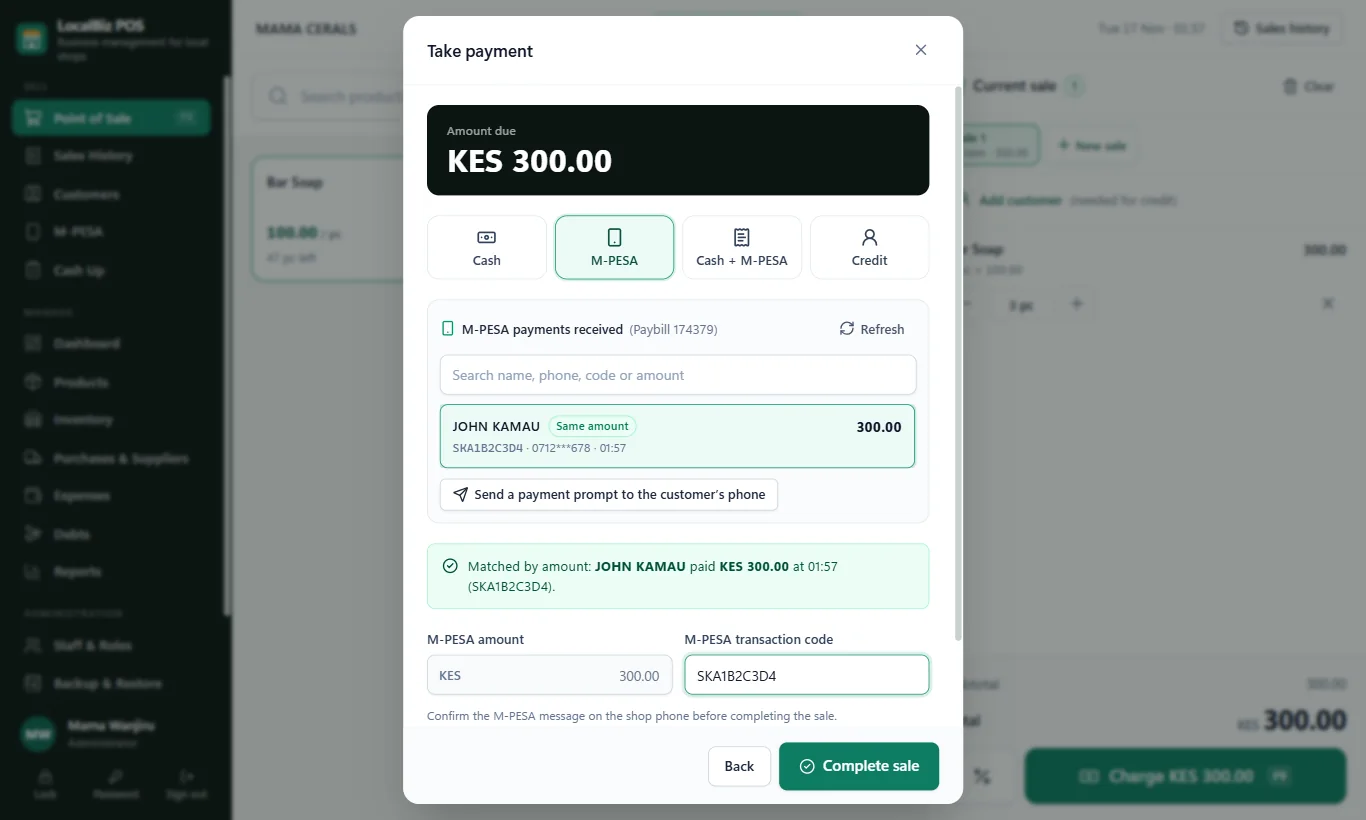
Once a payment is used, it is marked with the sale, the cashier, the till and the time. Try the same code again, on any till, and LocalBiz refuses it and shows where it was used. A payment can be split across sales, but never used for more than was paid.
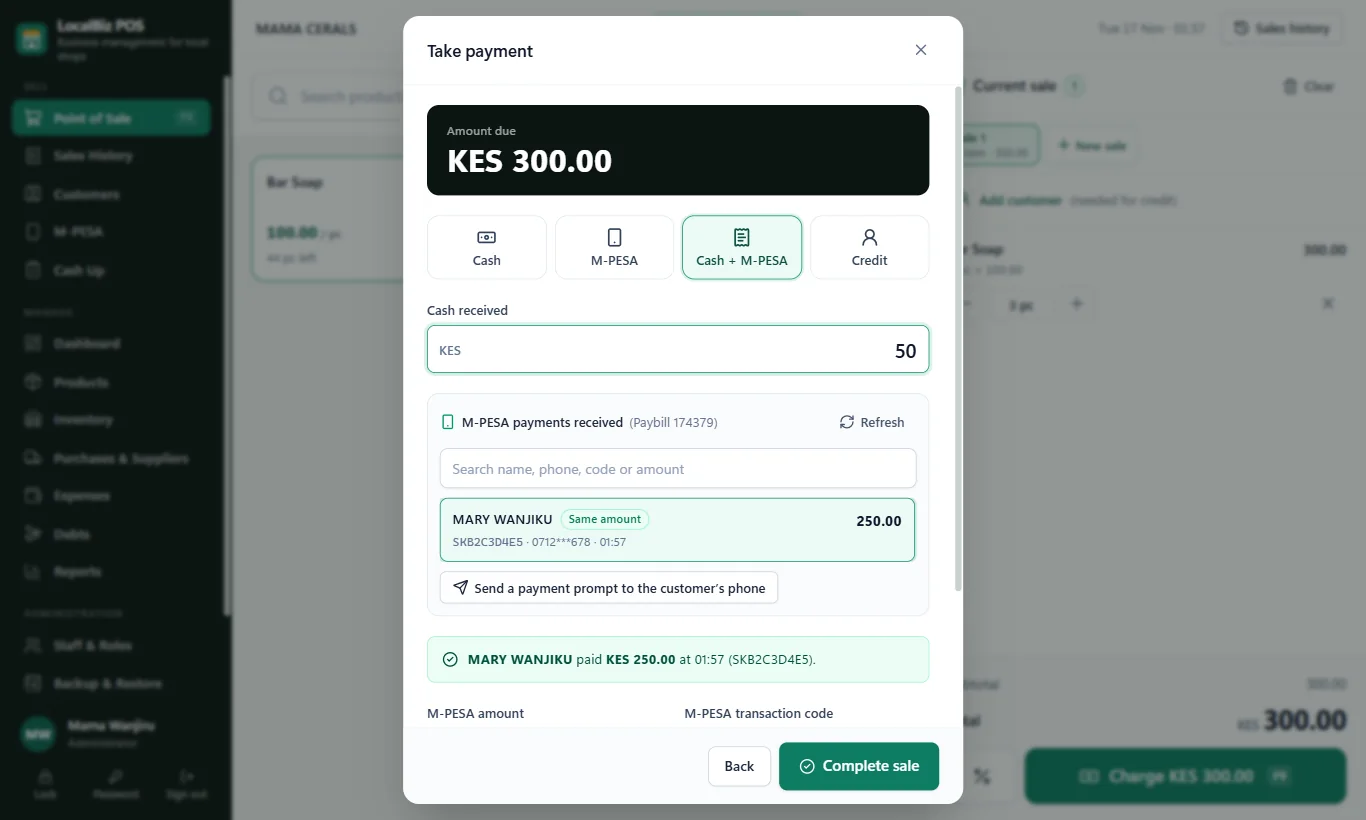
Customers who pay hours before they collect are easy to serve. Their payment stays in the M-PESA list until it's used. Find it by name, the last digits of their number, the code or the amount, and add a note such as "Peter: 5 soaps, collecting tomorrow" so any till can serve them.
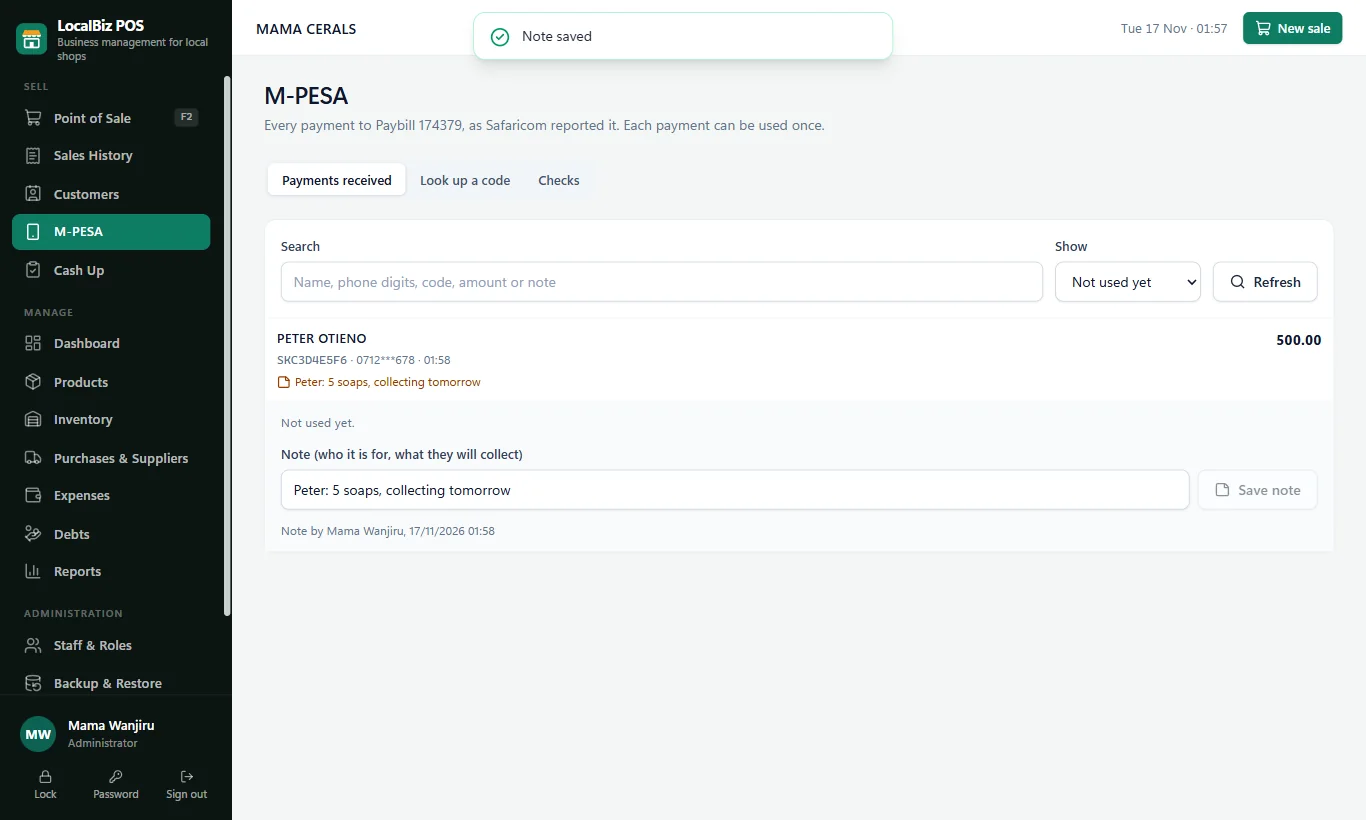
Tap "Send prompt", enter the customer's number, and they get the M-PESA PIN request for the exact amount. The sale fills in by itself the moment they pay.
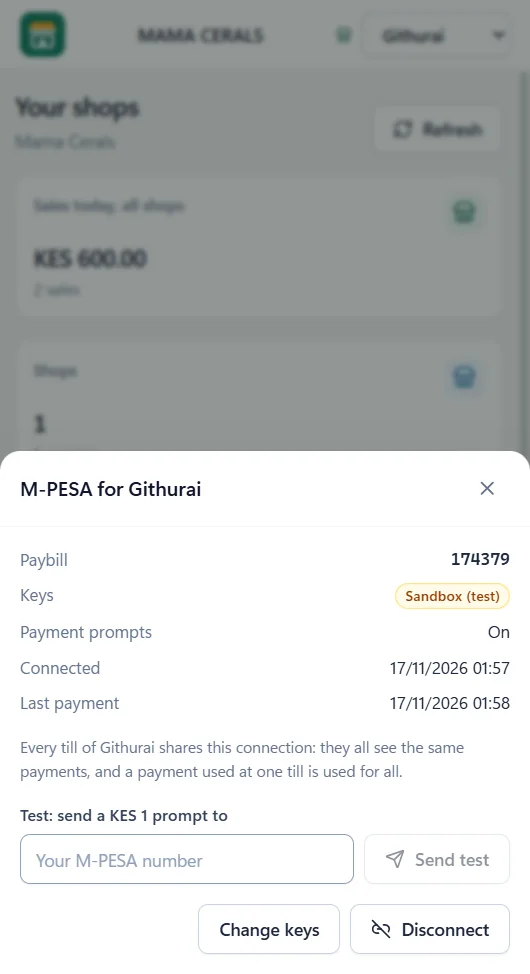
The owner connects the shop's Till or Paybill once, from the owner's app. Every till in that shop shares it: the same payments, and a payment used at one till is used for all.
A code typed at a till that Safaricom never reported, or one used twice while two tills were offline, is listed for the owner to look into.
LocalBiz uses Safaricom's official M-PESA API (Daraja) with your own Till or Paybill. We help you get your keys from Safaricom, then you enter them once in the owner's app and send yourself a KES 1 test.
With several tills and staff you can't watch every counter. LocalBiz Online watches them for you.
Someone leaves or can't be trusted? Turn their account off from your phone. Every till signs them out within seconds.
A cashier can only be signed in on one till at a time, so passwords can't be shared across counters to hide who sold what.
A till left signed in overnight, or switched off mid-shift? Sign it out from the owner's app.
Remove a device from your phone and it can no longer send or receive your shop's data.
New prices, products and staff reach every till automatically. No more counters selling at old prices.
We add your new shop to your account and connect its tills. It appears in your app's shop switcher straight away.
Many online systems stop the queue when the network drops. LocalBiz Online doesn't. Every till holds a complete copy of the shop, so it sells, prints receipts and does the cash-up without internet. When the connection returns, everything goes up on its own.
What the cashier sees at the top of the till
Both have the same fast till, stock control, M-PESA, credit, cash-up and reports. The difference is where your shop's records live and who can see them.
Everything on your own device
Best for: one shop with one main till, where the owner is usually on site.
Every till and branch connected, hosted by Webzy
Best for: busy shops with two or more tills, owners with branches, and owners who can't be at the shop all day.
| Offline | Online | |
|---|---|---|
| Sell without internet | ||
| Till, stock, M-PESA, credit, cash-up, reports | ||
| Each M-PESA code can be used only once | On every till | |
| M-PESA payments appear by themselves, matched to the sale | — | |
| M-PESA payment prompt on the customer's phone | — | |
| Several tills sharing one stock | One main till | As many tills as you need |
| Several branches in one account | — | |
| See sales and staff from your phone, anywhere | — | |
| Switch off staff and sign out tills remotely | — | |
| Audit log showing which till | One till | Every till |
| Backups | Automatic, on your device, flash drive or Google Drive | Automatic, off-site on the server, plus a full copy on every till |
| Where your records live | Your device | Webzy server and your tills |
| Monthly hosting | None | A hosting plan per shop, managed by Webzy |
“I have three tills, and the stock never agrees between them.”
“I opened a second branch and now I'm always on the road.”
“I have a day job. I only see the shop's books at night.”
“My depot and my retail shop keep separate books.”
“If there's a fire or a break-in, my records go with the computer.”
“My manager runs the shop. I just want to know it's honest.”
One shop, one till, and you're there every day? LocalBiz Offline is probably all you need
We do the technical work. You don't buy or manage a server.
See tills and the owner's app working together, with products like yours.
We create your business and shops on the Webzy server.
Each till is linked with its own one-time code, then your products, stock and staff are set up.
We link your phone to your account. You choose your own password.
Staff training, 24/7 support, and new tills or branches whenever you're ready.
LocalBiz ERP Online is the connected version of LocalBiz ERP, the POS and stock system by Webzy Systems in Nairobi. All your tills and branches share one system hosted by Webzy, and the owner sees and manages everything from a phone app. The tills still work without internet and sync automatically.
The till keeps selling, printing receipts and doing the cash-up as normal. Its work waits safely on the till, and the screen shows when it last synced and how many changes are waiting. When the connection returns, everything is sent automatically. Sales made offline keep the price the customer paid.
LocalBiz Online connects to Safaricom's official M-PESA API (Daraja) with your own Till or Paybill. Every payment to it is reported to your LocalBiz system and appears at all your tills within seconds, with the customer's name, the amount, the time and the M-PESA code. The cashier picks it from the list, or LocalBiz matches it by amount. Tills can also send a payment prompt to the customer's phone for the exact amount.
No. Each M-PESA payment can be used once, for no more than was paid. When it is used, LocalBiz records the sale, cashier, till and time, and refuses the same code on any other till, showing where it was used. A payment can be split, for example part for today's goods and the rest kept for the customer's next visit.
A Buy Goods Till or Paybill in the business's name, and its API keys from Safaricom's developer portal, which Safaricom approves through the number's M-PESA business administrator. We help with the application. The owner then enters the keys once in the owner's app and every till in that shop uses them. The money still goes straight to your M-PESA account.
When a till is online, a sale reaches the server within about a second, and every till picks up the others' changes about every 10 seconds. The owner's app reads straight from the server, so it shows a sale as soon as the till has sent it.
Yes. Each shop has its own products, stock, staff and sales, and they all sit under your one account. The owner's app has a shop switcher and a page showing today's sales and the tills of every shop. Adding a branch is a small extra fee per shop.
Connections are encrypted (HTTPS). Each till and phone has its own secret key, and lost devices can be removed. The server keeps backups of every shop every six hours, and every till holds a full copy of its shop, so your records are never in only one place.
No. A person can be signed in on only one till at a time, so a password can't be used on two counters to hide who sold what. The owner can sign out any till from the owner's app.
No. Webzy hosts and looks after the server. Your tills are the usual Windows computers or Android tablets, and the owner's app runs on an Android phone or a laptop.
Choose Offline if you have one shop with one main till and want your records only on your own device. Choose Online if you have two or more tills, more than one branch, or want to see and control the shop from your phone. We'll help you decide during the free demo.
In the demo you'll:
Leave your name and number and we'll call to arrange it, in your shop or online.