
LocalBiz ERP: run your whole shop from one simple system.
Sell faster, stop stock and cash leakages, and know your profit every day. LocalBiz works offline on your own computer, tablet or phone, and it's installed and supported by Webzy Systems.
- No internet needed
- Your data stays on your device
- Training included
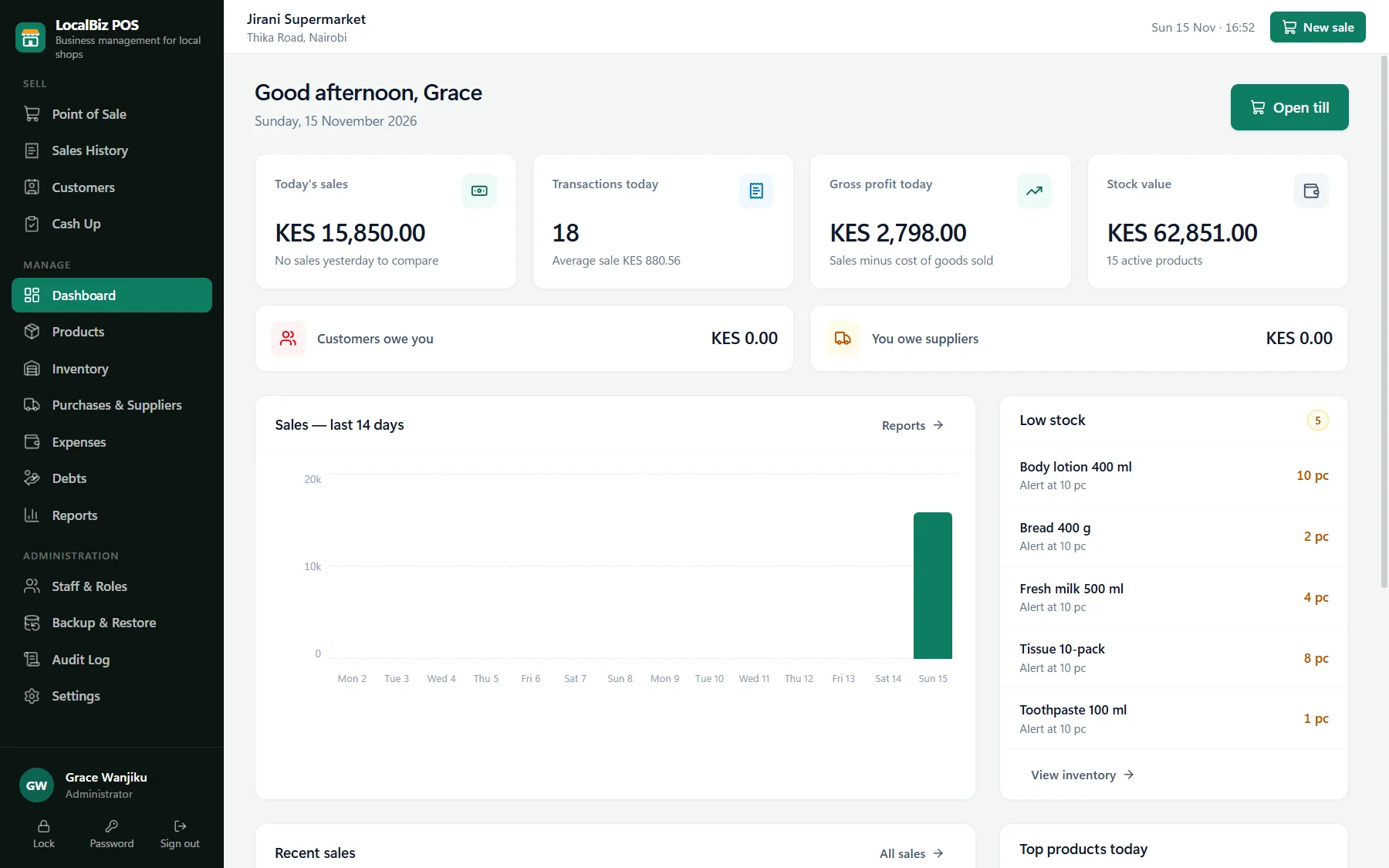
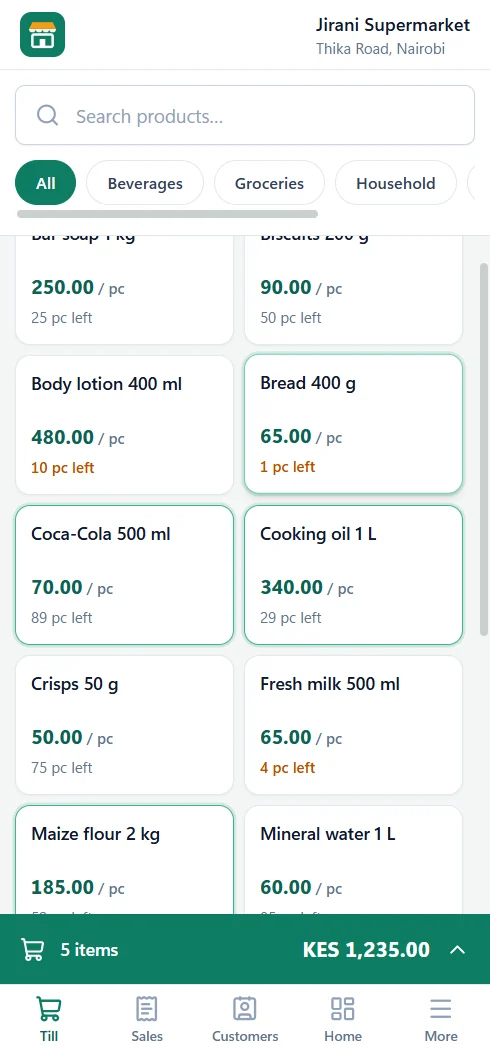
Faster selling
Tap or scan, any unit, up to three open sales at once.
Accurate stock
Updated with every sale, delivery and adjustment.
Fewer leakages
Staff roles, audit log and a daily cash-up.
Clear profit
Real costs, real margins, every day.
Everything your shop does, in one place
From the first sale of the morning to the last shilling counted at night.
A fast, friendly till
Cashiers find products by tapping, searching or scanning, and can hold up to three customers' baskets at the same time, which is perfect for busy counters.
- Sell by piece, kg, litre, packet, bag or bale, with prices for each unit
- Separate retail and wholesale counters sharing one stock, with wholesale prices and minimum quantities
- Discounts allowed only for the staff you choose
- Printed receipts with your shop name and logo
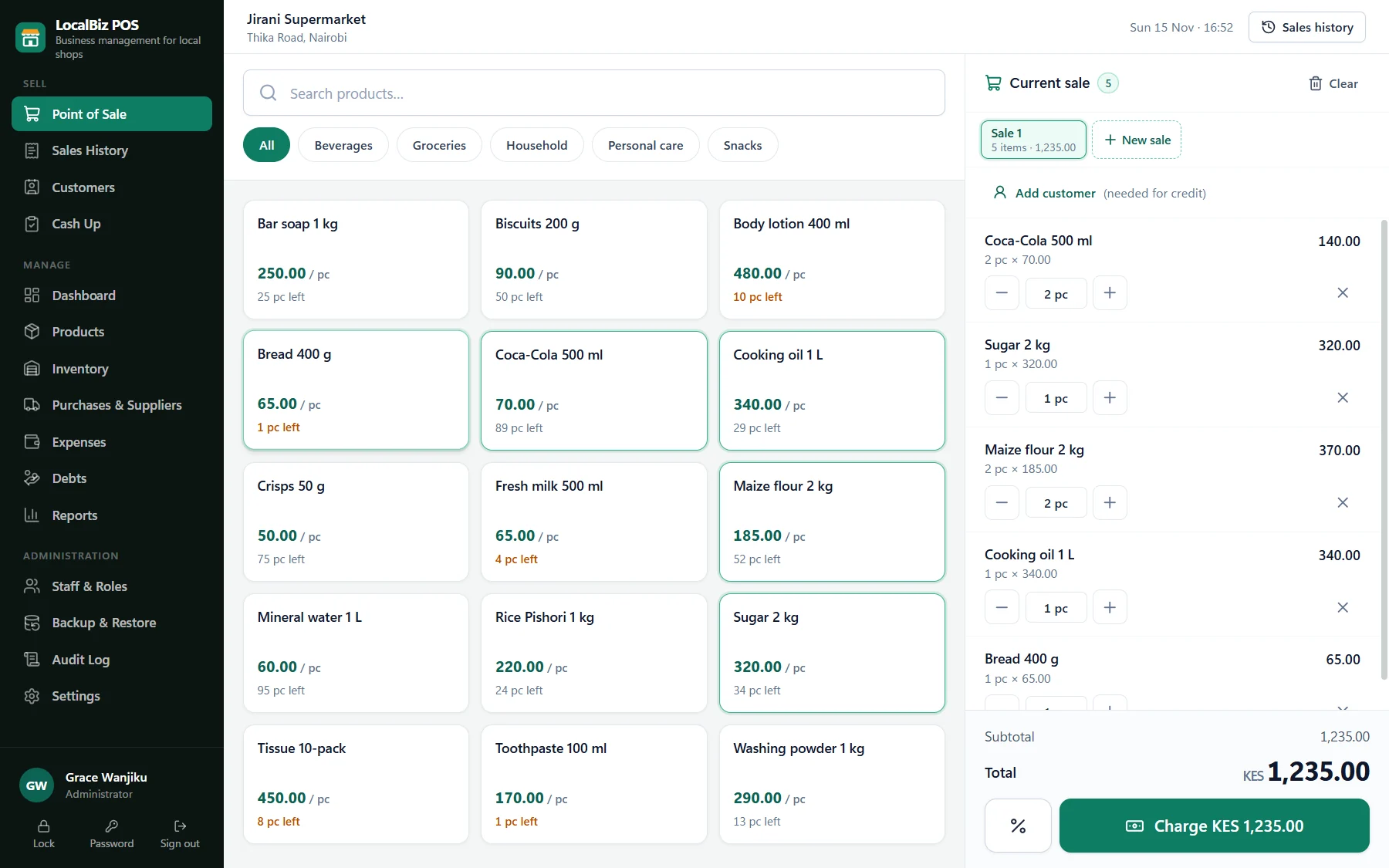
Every way your customers pay
Switch on the payment methods your shop accepts, during setup or later in Settings. The till, customer payments and the cash-up all follow your choice.
- Cash with automatic change, M-PESA with transaction codes, bank transfers and card
- Each M-PESA code can be used only once: a reused message is refused
- Split payments, e.g. part cash and part M-PESA
- Credit sales for trusted customers with limits, balances and statements
Want M-PESA payments to appear at the till by themselves? That's part of LocalBiz ERP Online.
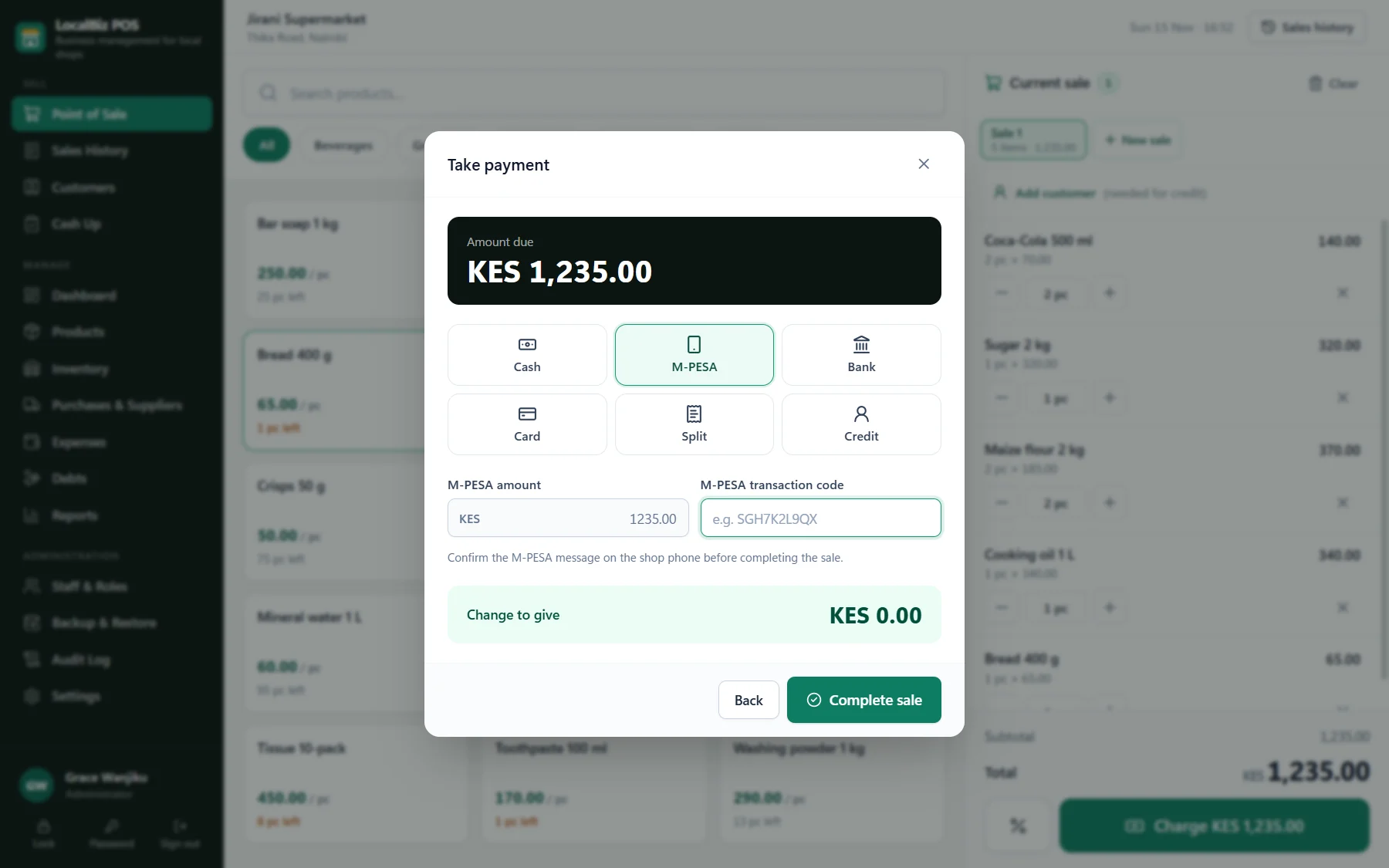
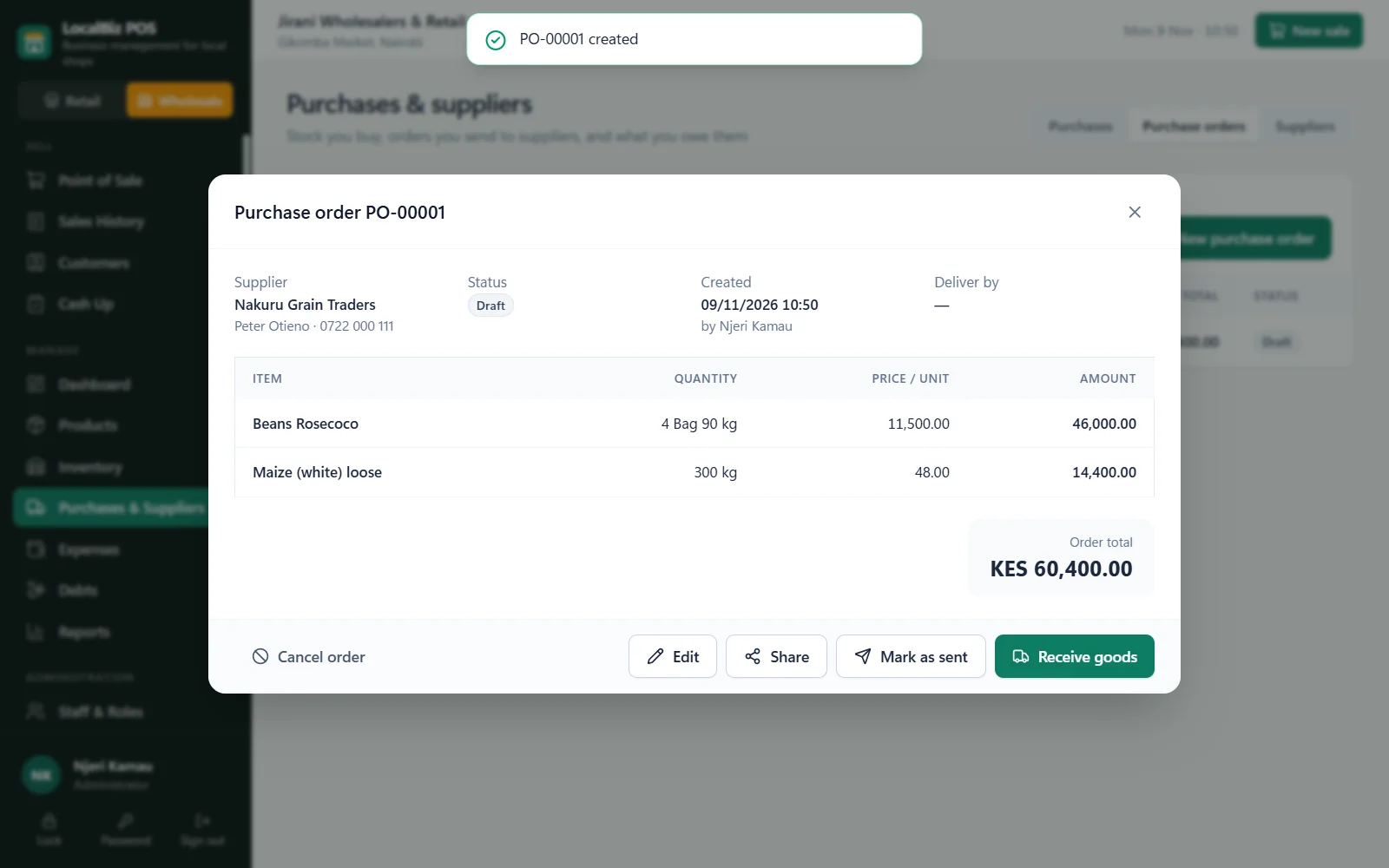
Stock, suppliers & purchase orders
Know what you have, what's running low and what you owe suppliers. Send purchase orders as branded PDFs, then receive the goods into stock in one step.
- Low-stock alerts and stock value at cost
- Receive stock quickly, with or without a supplier
- Supplier statements, balances and payments
- Automatic product codes (SKUs) and barcode support
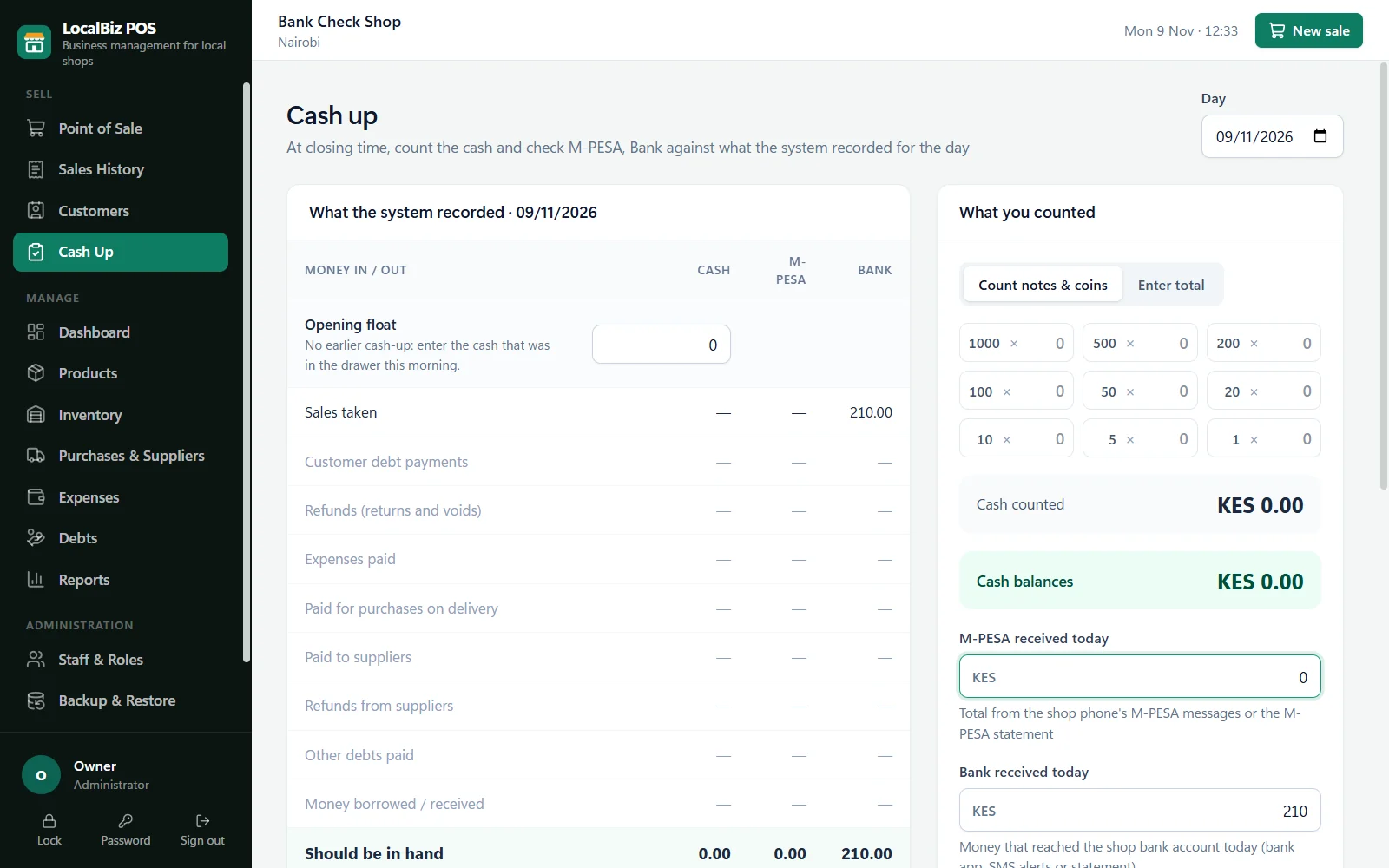
Daily cash-up that catches shortages
Count the notes and coins, enter the M-PESA, bank and card totals, and LocalBiz compares them with what was recorded. Any difference shows immediately.
- Opening float, sales, debt payments, refunds and expenses all included
- Expected vs counted for every payment method
- Notes explain any difference, kept in the history
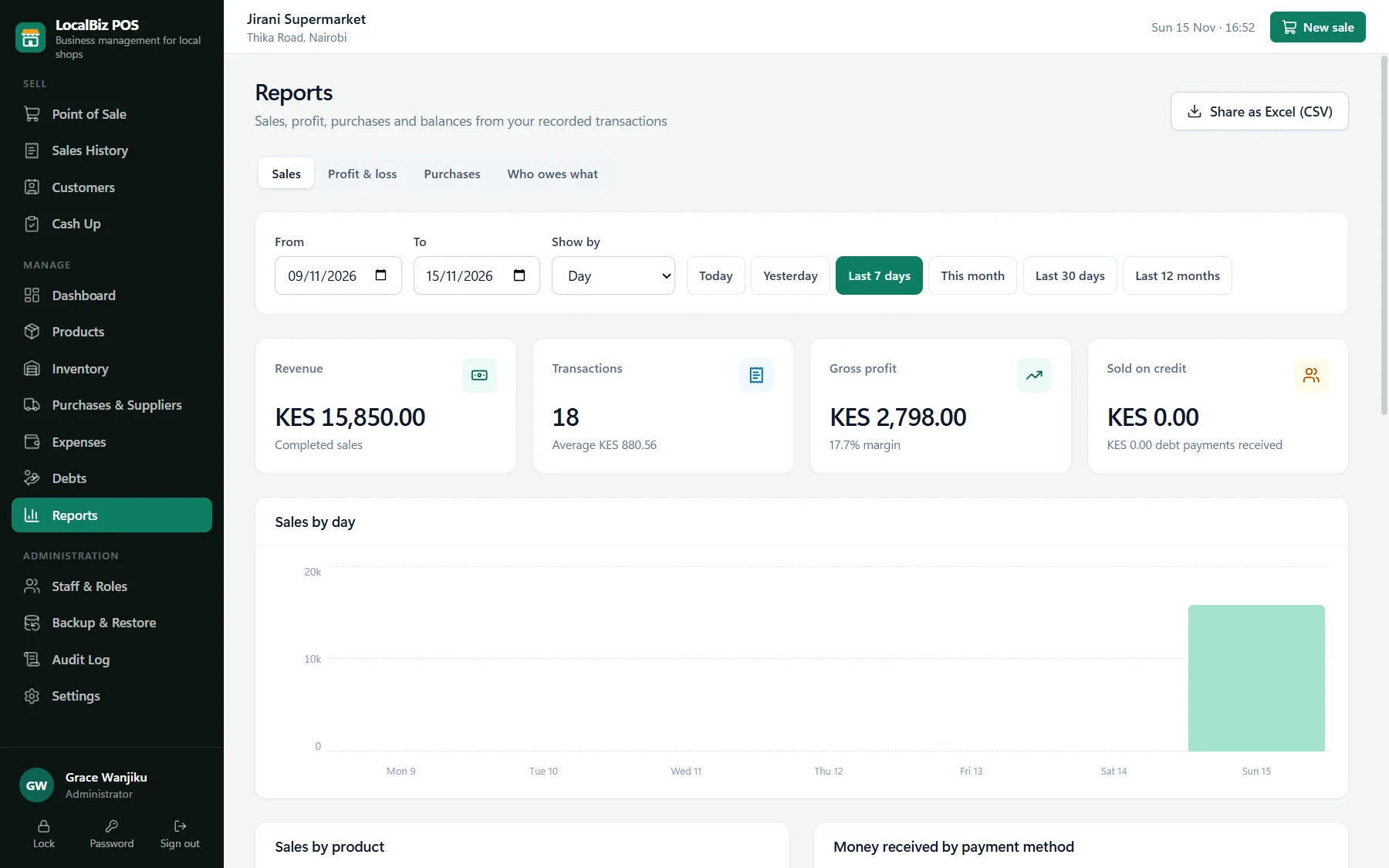
Reports that make sense
See sales, profit and best sellers for any day, week or month, and share them as PDF or Excel with your accountant or partner.
- Profit & loss using real buying costs
- Sales by product, staff, counter and payment method
- Who owes you, and who you owe
Built-in, not bolted on
Staff & roles
Admin, manager and cashier roles, or your own. Everyone signs in with their own password.
Audit log
A record of who sold, voided, refunded, discounted or changed prices, and when.
Expenses
Record rent, transport, wages and other costs so profit is always accurate.
Returns & refunds
Handle customer returns and supplier returns with stock and money kept correct.
Screen lock
The till locks itself when left alone, so nobody sells under your name.
Backups every 6 hours
To a flash drive, another disk or Google Drive, plus one-click restore.
From opening the shutters to closing the till
Here's what a normal trading day looks like once LocalBiz is running in your shop.
- 7:00 am
Open up
The cashier signs in with their own password. The dashboard already shows yesterday's sales and profit for the owner.
- 9:30 am
Delivery arrives
The storekeeper receives the supplier's goods against the purchase order. Stock and buying prices update straight away.
- 12:30 pm
Lunch-hour rush
Three customers at the counter at once. Each basket stays open while one pays by M-PESA and another counts cash.
- 3:00 pm
A regular buys on credit
The sale goes on their account within their limit. Their balance and statement are updated automatically.
- 5:00 pm
Low-stock alert
Sugar and cooking oil are nearly out. The low-stock list shows exactly what to put on tomorrow's purchase order.
- 8:00 pm
Close & cash-up
Count the drawer, enter M-PESA and bank totals, and see instantly if anything is short. The backup runs on its own.
The notebook way vs the LocalBiz way
Most of our shops start with a counter book and a calculator. Here's what changes.
Notebook & calculator
- Profit is a guess until the end of the month
- Stock counts take a whole day and still don't add up
- M-PESA messages checked one by one against the book
- Credit customers written on loose pages
- No way to know who changed a price or gave a discount
- A lost or wet book means lost records
LocalBiz ERP
- Profit for today, this week and this month, in seconds
- Stock updated with every sale and delivery
- M-PESA codes saved with each sale and checked at cash-up
- Every customer's balance and statement in one place
- Every action logged with the staff member's name
- Automatic backups every six hours
Tax season shouldn't feel like a raid.
KRA eTIMS invoices, VAT returns, missing receipts, penalties for late filing. For many Kenyan businesses, tax is the most stressful part of the job. LocalBiz takes that stress off your desk.
- Not sure which sales need an eTIMS invoice
- VAT figures pieced together from books and M-PESA messages
- Receipts and purchase records missing when KRA asks
- Paying an accountant to rebuild a year of records
Records KRA can trust
- Your KRA PIN printed on every receipt and purchase order
- Every sale, purchase, expense and payment recorded and dated
- M-PESA codes and bank references kept with each sale
- A full audit log of voids, refunds and price changes
- Sales and profit reports to PDF or Excel for your accountant or tax agent
eTIMS & VAT, built in
- eTIMS invoices sent to KRA straight from the till
- VAT worked out per item on receipts
- VAT summaries ready for your monthly return
Not every business needs eTIMS. Switch the module on if yours does, and we'll set it up and register it with you. If not, leave it off and everything else works the same.
Runs on what you already have
Start with one device and add more as you grow. Any of them can be the main till.
Windows computer
A desktop or laptop as the main till, with receipt printer, scanner and cash drawer.
Android tablet
A tablet works great as the main till or as an extra counter, and backs up to Google Drive.
Android phone
Check sales, stock and reports on the go, or sell from a phone at a small stall.
Optional extras: thermal receipt printer · barcode scanner · cash drawer · UPS for power cuts · flash drive for backups
Up and running, the right way
We don't just hand over software. We set it up properly so it's useful from day one.
Free demo
See LocalBiz with products like yours, in person or online.
Visit & quote
We check your devices and needs, then give a clear written quote.
Installation
We install, add your products, prices, opening stock and staff.
Training
Owners and cashiers are trained on the till, stock and cash-up.
Support
Call or WhatsApp us whenever you need help.
Is LocalBiz right for your shop?
It's a great fit if you:
- Sell over a counter, retail, wholesale or both
- Take cash and M-PESA, and maybe bank, card or credit
- Have anywhere from 50 to several thousand products
- Have staff at the till and want to stop leakages
- Want your records on your own device, or online across tills and branches
- Want a local team to install it and train you
See LocalBiz ERP with your own products
Leave your name and number and we'll call to arrange a free demo, in your shop or online.